Northstar Slate 14 Review: The Sensible Laptop With One Annoying Compromise
Northstar Computing’s new 14-inch midrange notebook hits almost every practical mark with sturdy build quality, reliable battery endurance, and responsive daily performance. However, an aggressive thermal profile and a stubborn trackpad quirk prevent this otherwise balanced machine from achieving outright greatness.
The modern midrange laptop market is notoriously difficult to navigate. Too many machines attempt to mimic flagship luxury by stripping away essential connectivity, while budget-oriented alternatives cut corners on display fidelity, chassis rigidity, or typing comfort. Fictional hardware maker Northstar Computing generally avoids both extremes. With the release of the Northstar Slate 14, the company aims squarely at the sensible middle: a portable computer built for everyday workplace productivity, research sessions, and prolonged document drafting without an exorbitant price tag.
On paper, this machine prioritizes utilitarian value. Rather than chasing ultra-slim chassis records or experimental hinge mechanisms, Northstar has chosen conventional materials, practical thermal vents, and a traditional 16:10 display format. The result is a laptop that feels remarkably grounded. Yet, as our week of intensive hands-on testing revealed, even a meticulously practical device can stumble over an unexpected hardware oversight that tests daily patience.
Design and everyday usability
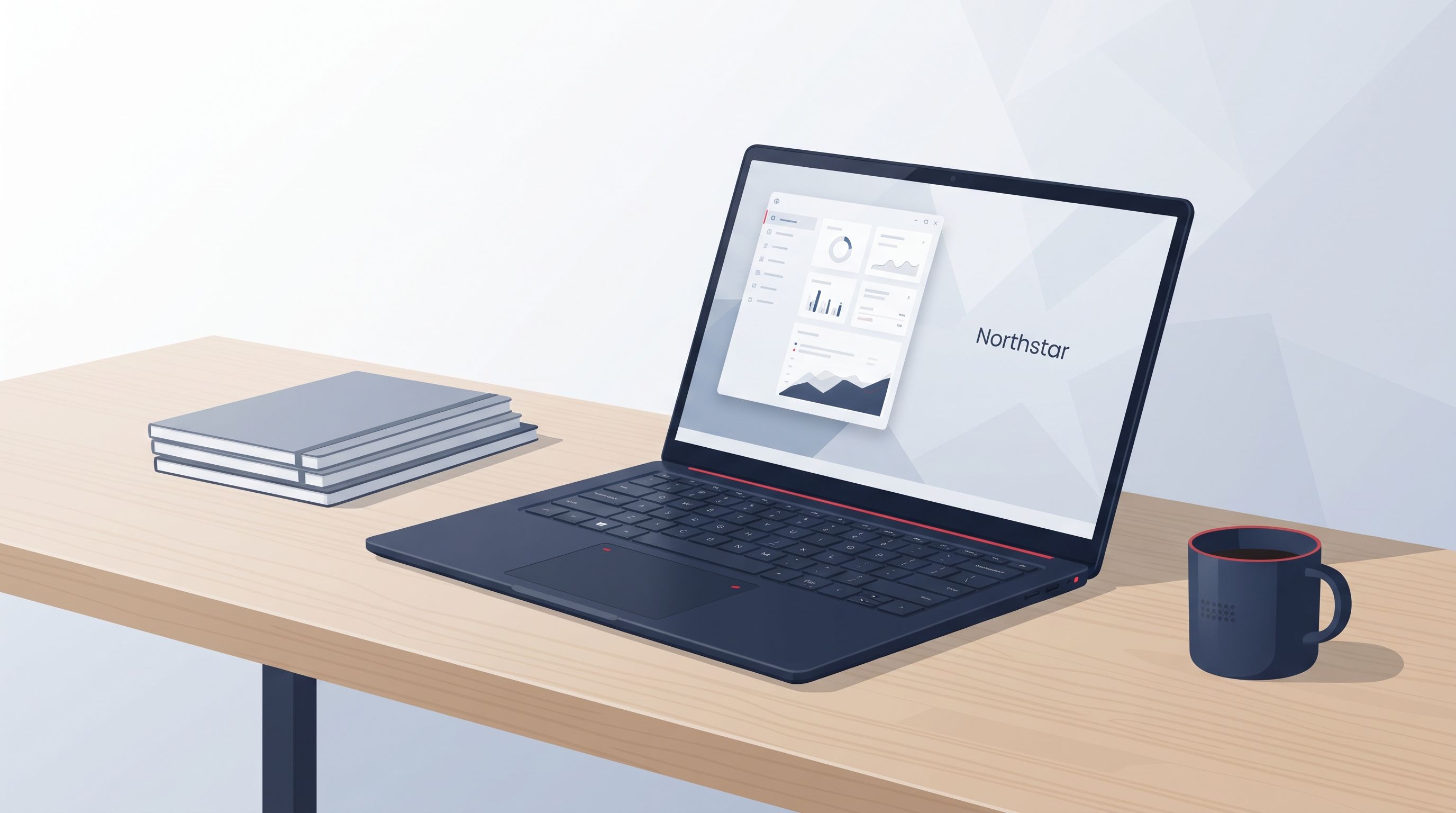
The Slate 14 makes a positive first impression straight out of its recycled cardboard packaging. The chassis is machined from matte anodized aluminum in a muted slate-gray finish that resists fingerprint smudges considerably better than glossy anodized alternatives. There is minimal flex across the primary keyboard deck, and picking up the device by a front corner does not elicit the unpleasant creaks commonly heard on budget notebooks. Weighing in at roughly 3.1 pounds with a thickness of 0.67 inches, it slides comfortably into standard commuter messenger bags.
The single central display hinge is calibrated with just enough tension to allow a single-finger lid opening while remaining stable when typing on a train lap tray. The aesthetic is understated to a fault; aside from a subtle, debossed Northstar compass logo stamped onto the top cover, there are no aggressive chamfers, bright colored accents, or extraneous trim pieces.
Keyboard and trackpad
Typing on the Slate 14 is generally a satisfying affair. The chiclet-style keyboard provides 1.4 millimeters of key travel with a distinct tactile actuation bump. Key stability is uniform from the home row out to the outer modifier keys, allowing our typing speed to reach normal desktop averages within an hour of acclimation. White LED backlighting offers three discrete brightness steps, illuminating the key legends cleanly with very little light spill from beneath the keycaps.
The glass-composite trackpad, however, is the source of the device’s single most annoying compromise. While the surface itself is smooth and tracks multi-touch navigation gestures accurately across the operating system, the physical diving-board click mechanism requires far too much actuation force along the lower half. Worse, our review sample exhibited an occasional, subtle click latency—a tiny micro-pause between physical actuation and the software register. If you rely on light tap-to-click gestures, you will rarely notice the problem, but traditional physical clickers will find their index fingers fatiguing before the workday ends.
Ports
In an era where many manufacturers reduce physical expansion to a solitary pair of multi-purpose ports, Northstar deserves credit for preserving sensible utility. The Slate 14 distributes its physical connectors evenly across both flanks:
- Left flank: Two full-function USB-C connections (supporting charging, DisplayPort alternate mode, and high-speed data transfer), accompanied by a single full-size HDMI 2.0 output.
- Right flank: One legacy USB-A port for legacy thumb drives or desktop peripherals, a spring-loaded microSD card slot, and a combined 3.5 mm headphone/microphone audio jack.
Having a legacy USB-A connector available without digging through a desk drawer for a plastic adapter dongle remains a welcome convenience for ordinary business tasks.
Display
Opening the lid reveals a 14-inch IPS LCD panel with a 1920×1200 resolution. The taller 16:10 aspect ratio provides noticeable vertical headroom over older 16:9 widescreen formats, fitting extra spreadsheet rows and text paragraphs onto the screen without constant vertical scrolling.
The matte anti-reflective coating handles overhead office fluorescents adequately, avoiding the mirror-like reflections common to glass-covered touchscreens. However, color-critical creative professionals will want to look elsewhere; the panel prioritizes energy efficiency and text sharpness over wide cinematic color reproduction.
| Attribute | Result | Comment |
|---|---|---|
| Brightness | 335 nits peak | Adequate for indoor offices; washes out under direct midday sunlight |
| Color | 94% sRGB / 71% DCI-P3 | Good everyday saturation, but insufficient for professional color grading |
| Refresh rate | 60 Hz | Standard desktop motion; lacks the smooth fluidity of 90 Hz or 120 Hz panels |
| Aspect ratio | 16:10 (1920×1200) | Excellent vertical space for reading documents, code, and spreadsheets |
Contrast sits at a respectable 1150:1, rendering black levels cleanly in dark text documents without obvious backlight bleed around the panel borders.
Performance
Powering the machine is Northstar’s proprietary midrange silicon: the Northstar N7 system-on-chip, paired with 16GB of soldered LPDDR5 system memory and a 512GB NVMe solid-state storage drive. Graphics duties are handled by the processor's integrated graphics array rather than a power-hungry discrete card.
To evaluate real-world capability beyond synthetic numbers, we subjected the Slate 14 to four common productivity scenarios:
- Office and administrative work: Document processing inside text suites, simultaneous spreadsheet calculations, and background PDF export tasks operated without a single hitch.
- Heavy browser workloads: Running two dozen active browser tabs—including collaborative document editors, continuous audio streaming, and multiple web dashboards—consumed roughly 11GB of unified memory without freezing or dropping tab state.
- Basic photo editing: Cropping, exposure balancing, and batch-exporting fifty 24-megapixel compressed raw camera files completed in just under four minutes, presenting responsive slider adjustments throughout.
- Light gaming and casual 3D: Lightweight casual titles and indie strategy simulations ran smoothly at native resolution, provided visual fidelity settings were kept to modest intermediate presets.
Where performance starts to struggle
The limitations of the N7 chip surface when processing tasks require continuous, sustained computational muscle. Extended 4K video rendering runs and complex compilation jobs quickly saturated the memory bus, causing frame dropouts during video timeline scrubbing. Furthermore, because system memory is permanently soldered to the mainboard, buyers cannot upgrade beyond 16GB down the line. You can review detailed synthetic stress plots and thermal traces on our extended benchmark archive (opens in a new tab).
Battery life and thermals
Energy efficiency is where the Slate 14 claws back significant points. The 58-watt-hour internal battery pack delivered consistent all-day endurance during standard office routines.
Our hands-on battery and thermal tests yielded several distinct observations:
- Mixed office endurance: The laptop averaged 9 hours and 40 minutes of continuous web browsing, Slack messaging, and word processing at 180 nits screen brightness before signaling critical battery reserve.
- Chassis temperature spread: Heat remains concentrated around the center-rear exhaust grill, keeping the palm rests and primary alphanumeric key area comfortably cool under medium load.
- Charging rates: The bundled 65W compact power brick replenished the battery from empty to 50 percent in approximately 36 minutes over USB-C.
- Acoustic behavior: Fan noise remains virtually silent during light reading, but spins up abruptly into a noticeable high-pitched whine whenever background indexing runs kick in.
The cooling solution's sudden acoustic transitions were particularly evident during quiet work sessions:
"The single internal cooling fan remains completely dormant during routine text editing, but it ramps up to maximum RPM with startling speed during brief background software updates, producing a sharp hiss that cuts through quiet meeting rooms."
Who should actually buy it?
The Northstar Slate 14 accomplishes what it originally set out to achieve: it provides an honest, well-built mobile work environment for people whose computing lives revolve around research, correspondence, data analysis, and general productivity. The chassis is durable, the port selection avoids unnecessary adapter clutter, and the battery will carry you through a standard workday without requiring an urgent hunt for a wall socket.
The decisive factor comes down to your tolerance for its inputs and acoustics. The stiff trackpad mechanism feels like an unforced ergonomic error on a machine that gets the keyboard so right, and the sudden fan spikes can be distracting in silent libraries.
If you primarily work with an external mouse at a desk, those grievances largely fade away, leaving behind a competent, sensibly constructed laptop that delivers reliable daily value. However, if you demand an effortless trackpad experience on the road, you may want to test the click action in person before making it your daily companion.