
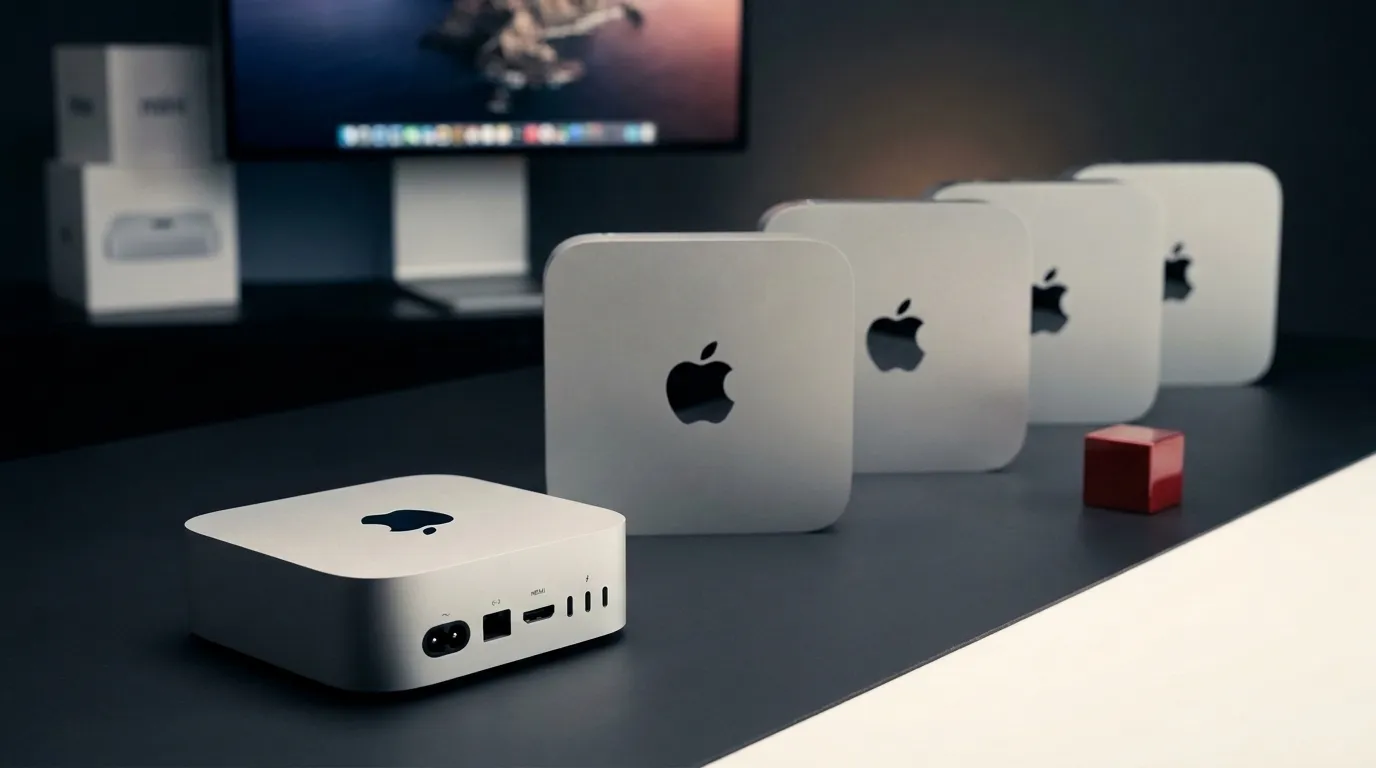
Which Mac Mini Should You Buy in 2026? The M6, M5 Pro, M4 and M2 Compared
Buying a Mac Mini used to be simple.
Pick the current model. Decide how much memory and storage you can afford. Done.
In 2026, that advice can cost you money.
Apple has introduced the M6 Mac Mini and M5 Pro Mac Mini, but the previous M4 and M4 Pro machines haven't suddenly become slow. They're now exactly the kind of outgoing hardware that can become unusually good value as refurbished and used inventory appears.
Go further back and the M2 generation is still lurking on the second-hand market at prices that can make sense for the right buyer.
So the question isn't simply “Which Mac Mini is fastest?”
We already know the answer to that.
The useful question is:
Which Mac Mini gives you the performance you'll actually use without paying for the performance you won't?
That's a much more interesting comparison.
Plain Tech verdict: Buy the M6 Mac Mini if you want the current mainstream model, particularly if local AI performance matters. Look hard at a discounted M4 Mac Mini if ordinary productivity and creative work are your priorities. Move to M5 Pro only when your workloads can actually exploit its additional memory, GPU capability or Thunderbolt 5 connectivity.
The Mac Mini lineup in 30 seconds
Here is the buying decision before we bury it underneath specifications.
| Mac Mini | Best for | Plain Tech verdict |
|---|---|---|
| M6 | Most buyers wanting the newest model, AI workloads, long ownership | Best current-generation choice |
| M5 Pro | Developers, 3D/VFX, demanding video, large local AI models | Best performance choice |
| M4 | Everyday computing, office work, coding, moderate creative work | Best value if heavily discounted |
| M4 Pro | Professional users finding a strong refurb/used deal | Potential bargain |
| M2 / M2 Pro | Very tight budgets and secondary machines | Buy only when the price is compelling |
The important part is that there is no universal winner.
The M5 Pro can be dramatically more capable than an M4. That doesn't make it a dramatically better computer for somebody writing documents, browsing with 25 tabs and occasionally editing a YouTube video.
Buying unused performance isn't future-proofing.
It's just expensive optimism.
M6 Mac Mini: the one most people should start with
The new M6 is Apple's mainstream Mac Mini for 2026.
It starts at $899 in the US, with a 12-core CPU, 12-core GPU and 16GB of unified memory. Apple allows memory configurations up to 32GB.
And this generation's headline isn't merely “processor goes faster.”
It's AI.
Apple says M6 delivers up to 4x faster AI performance, 2x faster graphics, 2x faster storage and 40% faster CPU performance compared with M4 in the workloads Apple tested. Apple also claims LM Studio prompt processing can be up to 4.8x faster than M4. These are manufacturer benchmark claims rather than our independent test results, so they should be treated as workload-specific rather than universal performance multipliers.
That distinction matters.
Opening Safari isn't suddenly four times faster.
But workloads increasingly using GPU and neural acceleration can benefit disproportionately from the architectural changes.
Buy the M6 Mac Mini if:
- you're buying new and intend to keep it for years;
- local AI models are genuinely part of your workflow;
- you use AI-assisted creative applications;
- you want substantially stronger graphics than mainstream M4;
- you don't need more than 32GB unified memory;
- you want the current platform rather than hunting for previous-generation deals.
For someone entering the Mac Mini ecosystem today without an unusually demanding professional workload, M6 is the sensible place to begin the decision.
Not because everybody needs it.
Because you need a good reason not to buy it — usually an excellent M4 discount or a workload demanding M5 Pro.
M5 Pro Mac Mini: don't buy it just because the numbers are bigger
Then things get serious.
The M5 Pro Mac Mini starts at $1,699, almost twice the entry price of M6.
Configurations can reach an 18-core CPU, 20-core GPU and 64GB of unified memory with 307GB/s memory bandwidth.
That changes what the machine is capable of handling comfortably.
Large local AI models, complex 3D projects, VFX, substantial development workloads, large datasets and demanding video pipelines can all make a legitimate case for the Pro machine.
Apple claims M5 Pro can deliver, compared with M4 Pro, up to:
- 4x faster LLM prompt processing in LM Studio;
- 1.4x faster ray-traced Blender rendering;
- 1.5x faster Affinity image processing.
Again, those are Apple's specific benchmark comparisons—not blanket statements that every application becomes four times faster.
The other reason to buy M5 Pro: Thunderbolt 5
This is easy to overlook.
The M6 Mac Mini has three rear Thunderbolt 4 ports.
M5 Pro gets three rear Thunderbolt 5 ports.
For the average home setup, that shouldn't decide the purchase.
For high-bandwidth storage, professional docks, sophisticated display setups and other demanding peripherals, it absolutely can.
Buy M5 Pro if:
- you know your workload needs more than 32GB unified memory;
- you work heavily in 3D, VFX or professional rendering;
- you run larger local AI models;
- your development/research workload is genuinely compute-heavy;
- Thunderbolt 5 is important to your setup;
- you're approaching Mac Studio territory but specifically prefer the Mini.
If none of those descriptions sound familiar, don't buy M5 Pro because someone showed you a benchmark chart.
You're probably paying for capabilities you won't use.
M6 vs M5 Pro: the important specifications
| Specification | Mac Mini M6 | Mac Mini M5 Pro |
|---|---|---|
| Starting US price | $899 | $1,699 |
| CPU | 12-core | Up to 18-core |
| GPU | 12-core | Up to 20-core |
| Unified memory | 16GB standard, up to 32GB | Up to 64GB |
| Memory bandwidth | Up to 170GB/s | Up to 307GB/s |
| Rear Thunderbolt | 3× Thunderbolt 4 | 3× Thunderbolt 5 |
| Front connectivity | 2× USB-C + 3.5mm audio | 2× USB-C + 3.5mm audio |
| Ethernet | 2.5Gb standard, 10Gb configurable | 2.5Gb standard, 10Gb configurable |
| Wireless | Wi-Fi 7, Bluetooth 6 | Wi-Fi 7, Bluetooth 6 |
| Best fit | Mainstream / AI / creative | High-end professional |
Apple's current specifications confirm the connectivity and wireless differences above.
But the M4 Mac Mini may be the smarter purchase
This is where buying guides become more useful than launch events.
The arrival of a new Mac doesn't make the previous one worse.
It changes its price-to-performance equation.
The M4 Mac Mini uses a 10-core CPU, 10-core GPU and starts with 16GB unified memory. It can be configured to 32GB and supports up to 2TB storage.
Those specifications are lower than M6.
But ask yourself what you're actually doing.
Browser tabs?
Office applications?
Writing?
Coding?
Content management?
Light-to-moderate photo work?
Regular 4K video editing?
General home computing?
You don't need Apple's fastest AI benchmark to do any of those things well.
This is why M4 pricing matters more than M4 specifications.
If retailers, Apple's refurbished channel or the second-hand market push M4 sufficiently below the M6's $899 entry price, M4 can become the best-value Mac Mini almost overnight.
The exact discount required depends on configuration and local pricing, so we wouldn't attach a universal dollar figure to it.
M4 Pro deserves even more attention
The same argument applies to M4 Pro.
Apple's 2024 M4 Pro Mac Mini came with a 12-core CPU and 16-core GPU in its standard chip configuration, with an optional 14-core CPU/20-core GPU configuration. It supports up to 64GB unified memory and up to 8TB SSD storage.
And crucially:
M4 Pro already has Thunderbolt 5.
That makes an aggressively discounted M4 Pro particularly interesting.
You're giving up the newer M5 Pro architecture and its AI/GPU advances, but you're not suddenly dropping back to an ordinary office machine.
This is still serious hardware.
M4 Pro makes sense when:
- M5 Pro is well outside your budget;
- you need more memory than mainstream M6 offers;
- Thunderbolt 5 matters;
- you find a trustworthy refurbished/used unit;
- your professional applications perform well on M4 Pro already.
For the right price, this may be the sleeper purchase of the entire lineup.
What about the M2 Mac Mini?
Now we reach the dangerous part of second-hand buying.
A cheap computer can be excellent value.
Or it can simply be cheap.
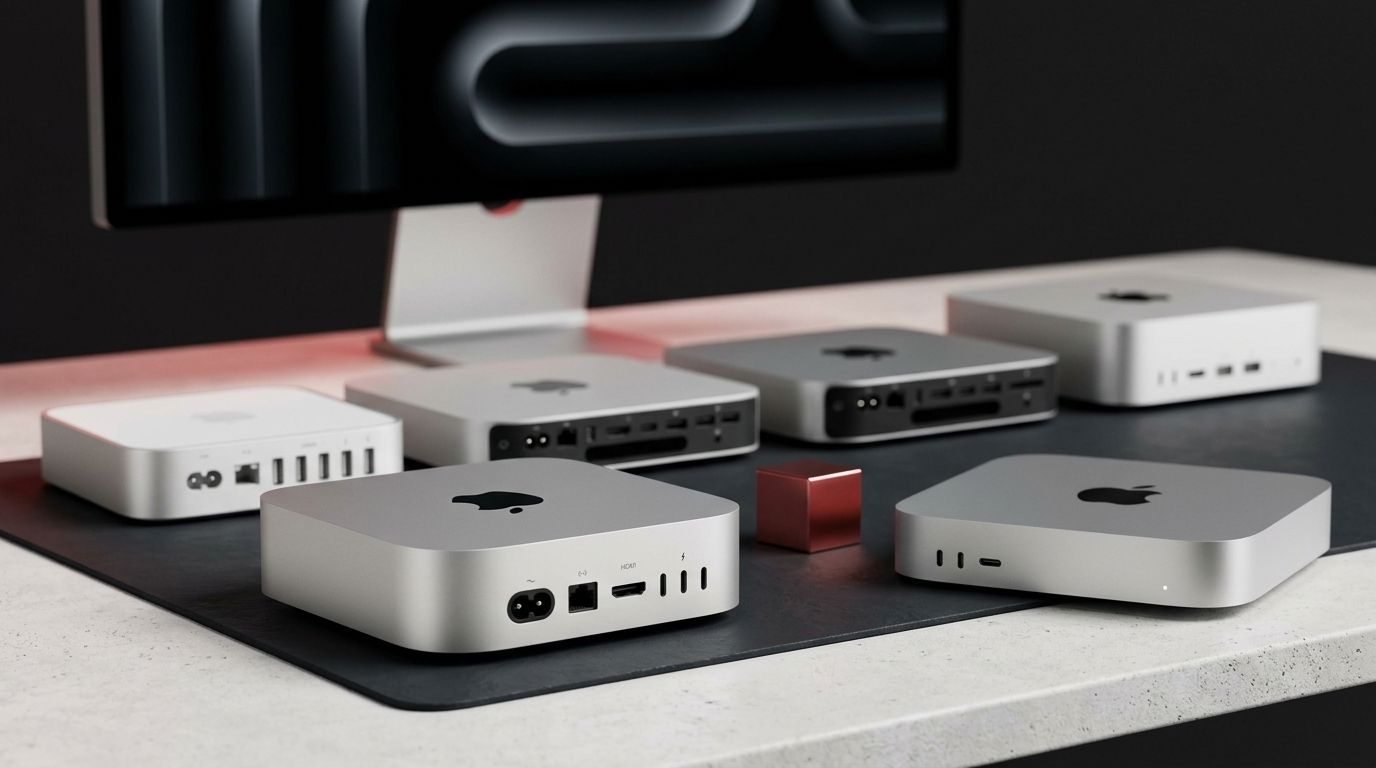
The M2 Mac Mini is old enough that we would no longer recommend it as the default choice for someone who can comfortably afford M4 or newer.
But that doesn't make M2 useless.
A low-cost M2 or M2 Pro can still make an excellent:
- home computer;
- secondary Mac;
- development/testing machine;
- media server;
- office desktop;
- hobby computer;
- first macOS system.
There is also one strangely practical advantage to the older chassis:
USB-A.
The current compact Mac Mini design has front USB-C and rear Thunderbolt/USB-C connectivity, HDMI and Ethernet, but no built-in USB-A ports.
If your desk is full of older USB peripherals, the M2-era design can therefore be more convenient without a hub.
That is not a reason to buy an outdated computer for $700.
It might be a reason to buy one for a genuinely attractive used price.
The decision table that actually matters
| Your situation | Mac Mini we'd look at first | Why |
|---|---|---|
| I just want a great new Mac Mini | M6 | Current generation, long useful life |
| I work heavily with local AI | M6 / M5 Pro | Major focus of new architecture |
| I need >32GB memory | M5 Pro or M4 Pro | Mainstream M6 tops out at 32GB |
| I do serious 3D/VFX/rendering | M5 Pro | More GPU and memory headroom |
| I need Thunderbolt 5 | M5 Pro / M4 Pro | M6 remains Thunderbolt 4 |
| I edit normal YouTube/video projects | M6 or discounted M4 | Pro silicon may be unnecessary |
| I mostly browse, write and work | Discounted M4 | Excellent performance without paying for unused capability |
| I found an M4 Pro bargain | M4 Pro | Still extremely capable |
| My budget is extremely limited | Used M2/M2 Pro | Cheap entry to desktop macOS |
| I always want the newest model | M6 / M5 Pro | Easy decision, expensive hobby |
Don't overspend on internal storage without thinking about it
Mac configuration pages have a special ability to make a reasonably priced computer become expensive very quickly.
Storage is one of the easiest places for that to happen.
Before selecting several terabytes of internal SSD capacity, ask whether your workflow actually requires all of that storage to live inside the Mac.
External SSDs, network storage and cloud storage can all change the calculation.
There are legitimate reasons to buy large internal storage: convenience, portability of the complete workstation, extremely clean setups, or workflows where external storage is undesirable.
But don't configure an 8TB machine because “more storage is better.”
That sentence has funded a lot of expensive checkout pages.
Memory deserves more attention than storage
Unified memory is different.
You cannot upgrade it later.
For an ordinary productivity machine, 16GB remains a sensible starting point.
If your work involves larger creative projects, development environments, heavy multitasking or local AI, additional unified memory becomes much easier to justify.
And this creates one of the clearest dividing lines in the lineup:
M6 stops at 32GB. M5 Pro reaches 64GB.
If you already know you need 48GB or 64GB, stop trying to convince yourself that mainstream M6 is enough.
You're a Pro buyer.
Our picks: which Mac Mini should you actually buy?
Best Mac Mini for most new buyers: M6
The M6 occupies the safest position in the range.
You get Apple's current mainstream architecture, substantially increased AI capability, stronger CPU/GPU performance and modern wireless connectivity without entering M5 Pro pricing.
If you're buying a Mac Mini in 2026 and don't have a specific reason to choose another model, start here.
Best-value Mac Mini: discounted M4
The M4 becomes interesting for exactly the opposite reason.
It isn't new.
That's the point.
Its 10-core CPU, 10-core GPU and 16GB base memory remain plenty for an enormous range of desktop workloads.
If M4 pricing falls substantially below M6, we'd rather pocket the difference than pay for benchmark victories we'll never notice.
Best Mac Mini for professionals: M5 Pro
If your workload makes the M5 Pro specifications sound useful rather than impressive, buy the M5 Pro.
Up to 18 CPU cores, 20 GPU cores, 64GB unified memory, 307GB/s memory bandwidth and Thunderbolt 5 create capabilities the mainstream M6 simply isn't designed to match.
For everyone else, save your money.
Best used Mac Mini: M4 Pro
M4 Pro is where we'd watch refurbished pricing particularly closely.
It combines substantial CPU/GPU capability, up to 64GB memory and Thunderbolt 5.
A sufficiently large discount against M5 Pro could make it a much more rational professional purchase.
Best ultra-budget option: M2 or M2 Pro
Only buy this generation when price is the reason.
Don't choose M2 because you're worried M4/M6 might somehow be “too powerful.”
Choose it because you found a reliable machine at a price low enough to make its age irrelevant to your needs.
M6 vs M4: should you actually pay more?
This will probably be the most common Mac Mini buying question over the next several months.
Our answer:
Don't compare processors first. Compare prices first.
If the M4 costs almost as much as M6, buy M6.
If the M4 is heavily discounted and your work consists primarily of productivity, browsing, coding and conventional creative workloads, buying M4 can be the smarter decision.
If local AI performance is central to why you're upgrading, the argument swings strongly toward M6. Apple specifically redesigned this generation around greater neural and GPU acceleration and claims substantial gains over M4 in AI workloads.
That's a meaningful architectural reason to pay for the new generation.
“It's newer” isn't.
M5 Pro vs M4 Pro: let your software decide
This comparison is even more workload-dependent.
If your applications benefit from the M5 Pro's GPU neural accelerators, additional compute performance and newer architecture, the upgrade can make sense.
If you're doing work an M4 Pro already demolishes, a refurbished M4 Pro could save a significant amount of money without making your working day meaningfully worse.
Check benchmarks for your application.
Not somebody else's benchmark suite.
A Blender artist, Final Cut editor, developer and local-LLM enthusiast can all look at the same two computers and rationally reach different conclusions.
That's how professional hardware works.
Five mistakes to avoid when buying a Mac Mini
1. Buying Pro because “Pro must last longer.”Unused GPU cores don't magically extend a computer's lifespan.
2. Ignoring memory at checkout.You cannot upgrade unified memory afterward.
3. Paying almost-new prices for outgoing hardware.M4 becomes compelling because of the discount, not because it has an M4 badge.
4. Assuming Apple's “up to” numbers apply to everything.They describe specific tested workloads. Your application may behave very differently.
5. Forgetting the rest of the computer.Mac Mini doesn't include your display, keyboard, mouse, webcam or whatever collection of adapters your desk has accumulated since 2009.
Final verdict
The Mac Mini lineup looks complicated until you stop treating every specification as equally important.
Then it becomes surprisingly simple.
Buy the M6 if you want the current mainstream Mac Mini, particularly if AI workloads matter or you're planning to keep the machine for a long time.
Buy the M5 Pro if you can explain exactly why you need its additional GPU performance, memory capacity or Thunderbolt 5 connectivity.
Buy an M4 when the discount is good enough. For conventional productivity and creative work, the previous generation remains far more capable than its outgoing status suggests.
Look particularly closely at M4 Pro if you're a professional buyer shopping refurbished or used.
And buy M2 only when the price is sufficiently low that you're intentionally trading longevity and newer architecture for affordability.
The fastest Mac Mini is easy to identify.
The best Mac Mini is the one that reaches the limits of your workload before it reaches the limits of your budget.

About the author
Sarowar Zamil Shawon (opens author profile in a new tab)
I'm a Content Expert, Strategist & Critical Analyst with 8+ years of freelancing experience. I specialize in YouTube content, AI-assisted content, SaaS & technology content, educational explainers, research, storytelling, and visual communication. I've built and operated a monetized faceless YouTube channel and founded Money Engine, my own SaaS product. I help businesses and creators turn complex ideas into clear, engaging content and practical digital solutions.
Focus: Research Analysis, Content Strategy, AI Developer, SaaS Developer, Social Media Management
View author profile (opens in a new tab)